Mirae Asset Sharekhan MCP
MCP Logo

Mirae Asset Sharekhan MCP

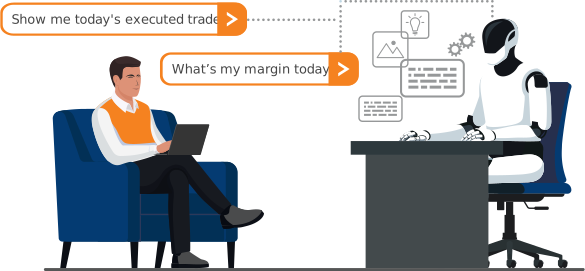
Connect your trading account to AI and

get real-time personalised insights and more in natural conversations

What is MCP
(Model Context Protocol)?

Personal AI assistant

Connects to your trading account

Natural conversations

Instantly answers your portfolio-specific questions

Robust Security

Data masking | Strictly read-only access |
No credentials stored
AI Illustration

Benefits of MCP

icon
Portfolio Review & Advice

Portfolio performance and actionable insights powered by AI

icon
Decide Faster with AI

Stay ahead with real-time market data and custom guidance

icon
Analyse MF Holdings

Fetch MF holdings and sectoral/thematic insights you can act on

icon
Conversational Simplicity

“When will I achieve ₹10 crores with my current investing habits?”

icon
Portfolio Insights

Scan holdings for rebalancing, diversification, hedging strategies

icon
Personalised Recommendations

Tailors suggestions to your risk appetite, trading style, portfolio size

What you can access via MCP

icon
Funds

Fetches exchange-wise available margins and funds

icon
Mutual Fund Holdings

Fetches mutual fund holdings in the portfolio (T-2)

icon
Current day’s Order Book

Lists all your orders placed today with statuses

icon
icon
Holdings

Retrieves portfolio holdings as on the previous day

icon
View Trades

Retrieves current day’s executed trades and open positions

icon
Current day’s Order Details

Retrieves detailed statuses of a specific order

icon Interact with your investments via simple prompts

How MCP helps you

icon Real-Time Analysis
icon Emotion-Free Insights
icon Save Time and Effort
icon Competitive Edge
icon 24/7 Monitoring
icon Personalisation

Security you can trust!

Security Shield
  • No credentials stored by AI Assistants
  • All personally identifiable data is masked
  • Access is strictly read-only – no trades or orders can be placed yet

How to Set Up MCP with Claude

Setting up Claude AI for Desktop is intuitive and easy. Follow these quick steps for the OS of your choice. Optionally, you can always click the Detailed Walkthrough button below.

For Windows OS
For Mac OS
Configure MCP server to Claude
  • Open Claude Desktop
  • Go to   File  Settings  Developer  Edit Config
  • Input this code in the .json file that opens
  • Save the file and quit the app
  • Restart Claude Desktop
3
4
Verify Connection
  • Look for Mirae Asset Sharekhan MCP in Connectors
  • Prompt Claude: "Show my holdings"
  • Click the Login link that will be displayed
Authenticate via 2FA
  • Log in and authorise Mirae Asset Sharekhan MCP
  • Return to Claude Desktop and type "done"
5
6
Talk to Your Portfolio

Start getting portfolio insights and personalised recommendations. Just prompt!

MCP Setup

MCP Setup
Troubleshooting

MCP Server not connecting

Check Node.js version

Connection issues

Ensure MCP server is running

Authentication Problem

Log in when prompted

Timeouts

Check Internet/firewall settings

Configuration Error

Verify .json file settings are correct

Prompts you can try!

Prompts Illustration
  • How diversified is my portfolio? Are there any significant concentration risks?
  • Highlight risky positions that are more than 20% of my portfolio.
  • What is the current sector-wise allocation in my portfolio?
  • Generate a Portfolio X-Ray. Show me my allocation by sector, industry, and market cap (large, mid, small). Highlight any concentration risks greater than 20% in a single stock or sector.
  • Which of my stocks are performing the best and worst?
  • Compare the performance of my holdings with the Nifty 50 today.
  • Compare the performance of my tech stocks against the Nifty IT index.
  • What's my total invested capital versus current value?
  • Check for any news or events that could impact my holdings.
  • Provide a SWOT analysis (Strengths, Weaknesses, Opportunities, Threats) for “XYZ Ltd.”. Include recent news, sentiment, and key financial ratios compared to its main competitors.
  • Model the impact on my portfolio's overall dividend income and sector allocation if I sell 50% of my “XYZ Industries” shares and reinvest the proceeds into an FMCG index fund.
  • I want to start a SIP of ₹10,000 per month. Given my current portfolio and a moderate risk profile, suggest a 3-fund allocation strategy for these new funds.
  • Based on my existing holdings in the IT sector, find three undervalued companies in the pharmaceutical sector that have a strong analyst consensus ('Buy' or 'Strong Buy').
  • I'm bullish on the renewable energy theme. Screen for mid-cap companies in this sector with a debt-to-equity ratio below 0.7 and consistent year-over-year revenue growth.
  • Analyse my current holdings and my available funds. Based on this, suggest which stocks to buy if I wanted to increase my exposure to the tech sector.
  • Check my order book for any pending orders. If any of them are for a stock that has dropped more than 5% today, provide me the order details so I can decide whether to modify or cancel them.
  • Generate a daily report. Include my total funds, a summary of my holdings with today's P&L, a list of all executed trades from today, and a list of open orders from the order book. Also include the current value of my largest mutual fund holdings.
  • Analyse my current holdings. If any stock is down more than 15% from its purchase price, check my funds to see how much more capital I could allocate to average down the position.
  • Based on a moderate risk profile, suggest a diversification strategy for my holdings.
  • Generate a list of Dividend Aristocrat stocks in India that have increased their dividends consistently for the past 7 years and give me diversification strategy for my portfolio.
  • I want to test a momentum strategy. Scan for the top 10 stocks on the NSE that have gained the most volume and price in the last hour. Cross-reference them with my holdings to see if I already have a position in any of them, and if so, show me the order details of that position.
icon Investment decisions just got quicker

Frequently Asked Questions

The securities in this page are quoted as an example and not as a recommendation.
OPEN FREE* DEMAT ACCOUNT